Write code. Watch it run as you type.
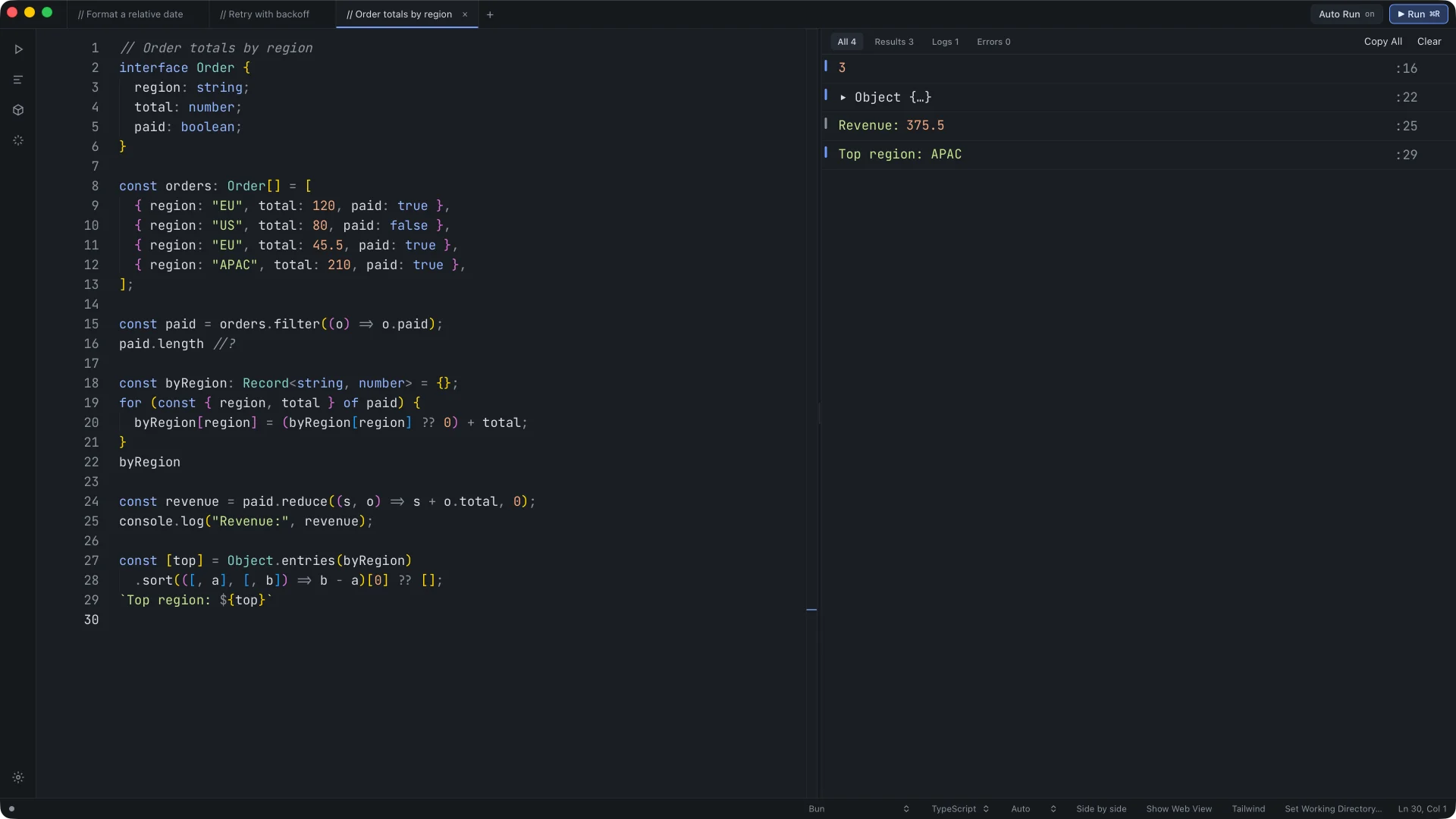
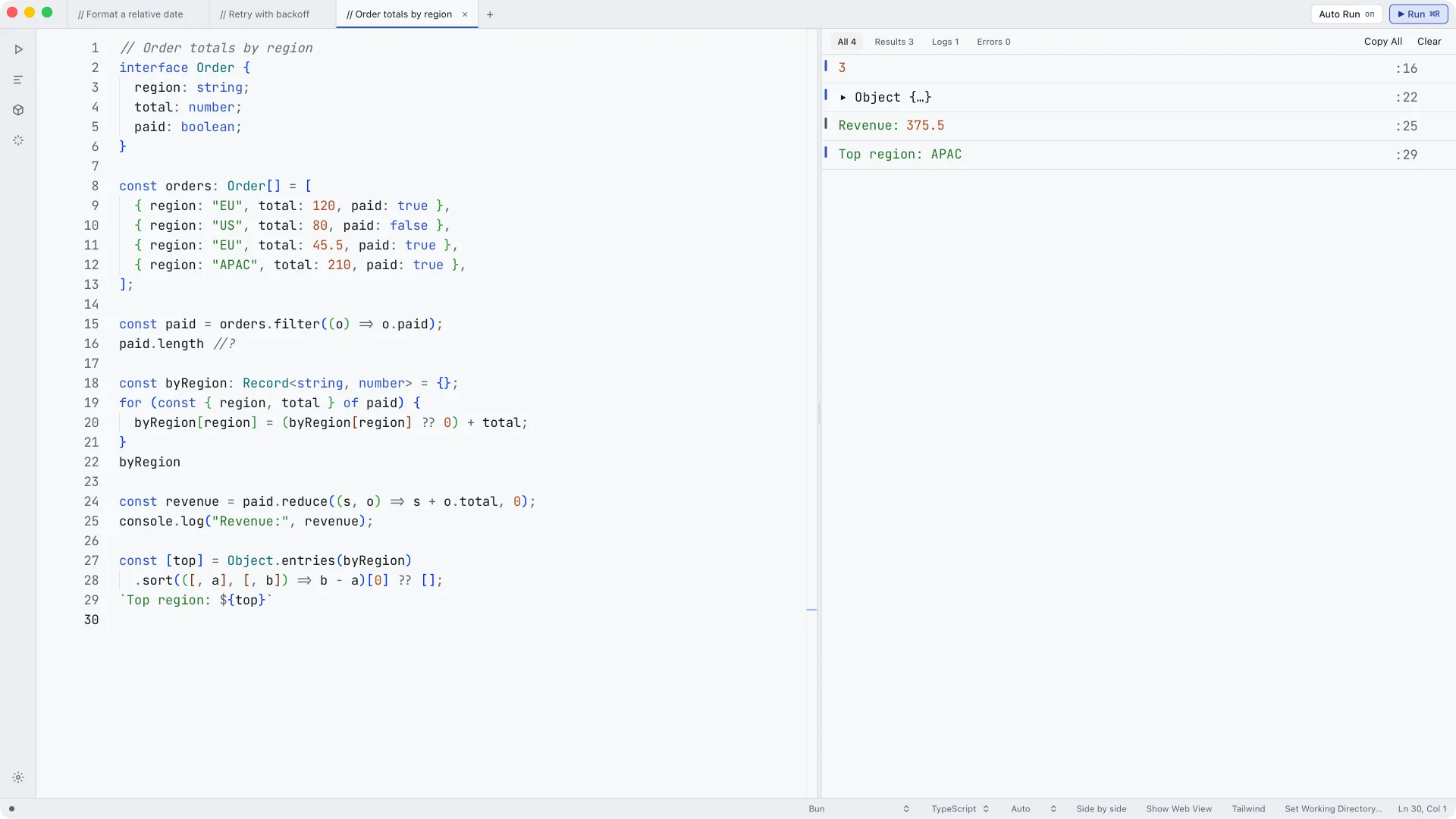
JSLab is a fast, native JavaScript and TypeScript scratchpad for macOS. Every result, log and error lands in the output panel, tagged with the line that produced it.
Free for 14 days · macOS 14 or later · Apple Silicon
Ask about the bug. Review the diff. Apply it.
The AI reads the code in your tab. Every change comes back as an inline diff you accept or reject, and the output reruns as soon as you apply it.
The output is the only loud thing in the window.
No project, no terminal, no build step. Open a tab, type, and read the result in the output panel, tagged with the line that made it.
Core features
Select one to see how it works.
Your code reruns a moment after you stop typing. Turn Auto Run off to run by hand, and press ⇧⌘R to stop a run.
One per tab
- BunFast startup, TypeScript built in
- BrowserAdds a Web View beside the console
- Browser & Node APIsA browser page with fs, child_process and fetch
- React
- Vue
- Angular
Components rerender beside the console as you type.
Import anything
Add a package from NPM Packages… and it's ready in every tab.
- react
- zod
- lodash-es
- date-fns
- nanoid
- chalk
- rxjs
- immer
- Runtimes
- 3
- Bundled themes
- 21
- Bundled code fonts
- 6
- Price
- $6 once
Errors land on the line that threw them.
Filter by Results, Logs or Errors. Counts stay visible at zero. After a syntax error, the last successful run stays on screen at half opacity instead of being cleared.
Every command, one ⇧⌘P away.
Run, switch runtime, toggle a magic comment or install a package. A command you can't use right now stays listed as Unavailable now, so you always know it exists.
Render React right beside the console.
Switch a tab to the Browser runtime and a Web View tile appears next to the output. Components rerender as you type.
Graphite, Graphite Light and 19 more.
Every text colour is checked at 4.5:1 on every surface, in every theme. Bring your own with Import VS Code Theme…
Try every feature free for 14 days.
Download JSLab and start typing. No account, no card and no sign-up.
The whole app
Nothing is locked during the trial: runtimes, Ask AI, npm packages, themes, all of it.
No telemetry
JSLab has no telemetry, no analytics and no crash reporting.
Day 14
Running code pauses until you enter a key. Your tabs, files and editing keep working.
One key, for good
Buy once for $6 and enter your email and key in Help → Enter License Key…
One price. Every feature.
Buy JSLab once for $6. There's no subscription and no tier to upgrade to. Try it free for 14 days first.
Three runtimes
Bun, Browser, and Browser & Node APIs. Pick one per tab and switch any time.
Ask AI
Ask about the code in your tab and apply the fix as a diff.
Native on macOS
Opens fast, follows your system appearance and uses macOS shortcuts.
Pay once
One payment through Stripe after a 14-day free trial. No subscription and no locked features.
Includes a 14-day free trial
Secure checkout with Stripe
- Auto Run and magic comments
- Bun, Browser, and Browser & Node APIs
- TypeScript and npm packages
- Ask AI with inline diffs
- Web View for React
- 21 themes and VS Code import
- Vim mode and keybindings
- Snippets and transpiled output
Could you build this yourself? Probably.
With an AI assistant and a free weekend, you could get a JavaScript scratchpad running. Then come TypeScript, npm packages, the Web View, themes, crash fixes and every macOS release. JSLab is $6, once, and every update is included.
A weekend vs $6
Your time is worth more than a sandwich.
Updates included
Every JSLab update, at no extra cost, for as long as JSLab is made.
A cracked copy stays cracked
It never gets an update, and the next one means doing it all again.
Questions
Is $6 a one-time payment?
Yes. You pay once through Stripe and get every feature. There is no subscription.
Is there a free trial?
Yes. Every feature is free for 14 days, with no account or card. After that, code stops running until you enter a key, and editing and saving keep working.
How do I activate my key?
Choose Help → Enter License Key… and paste your email and key. See the activation steps
Can I use my key on a new Mac?
Yes. Enter the same email and key.
Which runtimes does JSLab support?
Bun, Browser, and Browser & Node APIs. Switch from the status bar or the command palette. A Browser tab adds a Web View beside the console.
Does it run TypeScript?
Yes. Types are stripped as you type, and you can open the transpiled output in the side bar.
Can I install npm packages?
Yes. Open NPM Packages… from the activity bar or the palette and add any package by name.
What happens if my code hangs?
Press ⇧⌘R to stop it, or ⌥⌘R to kill it. If a run stops responding, JSLab asks whether to kill it or keep waiting. If JSLab didn't shut down cleanly while running code, it reopens in Safe Mode with Auto Run paused for that session.
Open a tab and start typing.
Free for 14 days. No project, no terminal, no build step.